SNMP Inventory Tool
SNMP Inventory Collection
SNMP inventory collection is the process of using SNMP queries to gather detailed hardware and software information from network devices. By sending SNMP GET requests to specific OIDs, a network management system can automatically retrieve key inventory data such as:
Device model and manufacturer
Serial number
Software and firmware versions
Hardware modules, line cards, and transceivers
Interface types, speeds, and MAC addresses
System uptime and capabilities
This data is usually stored in the SNMP system (sysObjectID, sysDescr) and entity MIBs, which describe the physical and logical components of a device.
Inventory collection allows organizations to:
Maintain accurate asset records
Track software versions for compliance and security
Identify aging or unsupported hardware
Support capacity planning and lifecycle management
Because the process is automated through regular SNMP polling, inventory information stays up to date without requiring manual intervention. This makes SNMP a reliable and standardized method for maintaining visibility into the equipment deployed across the network.
Inventory & Profiles
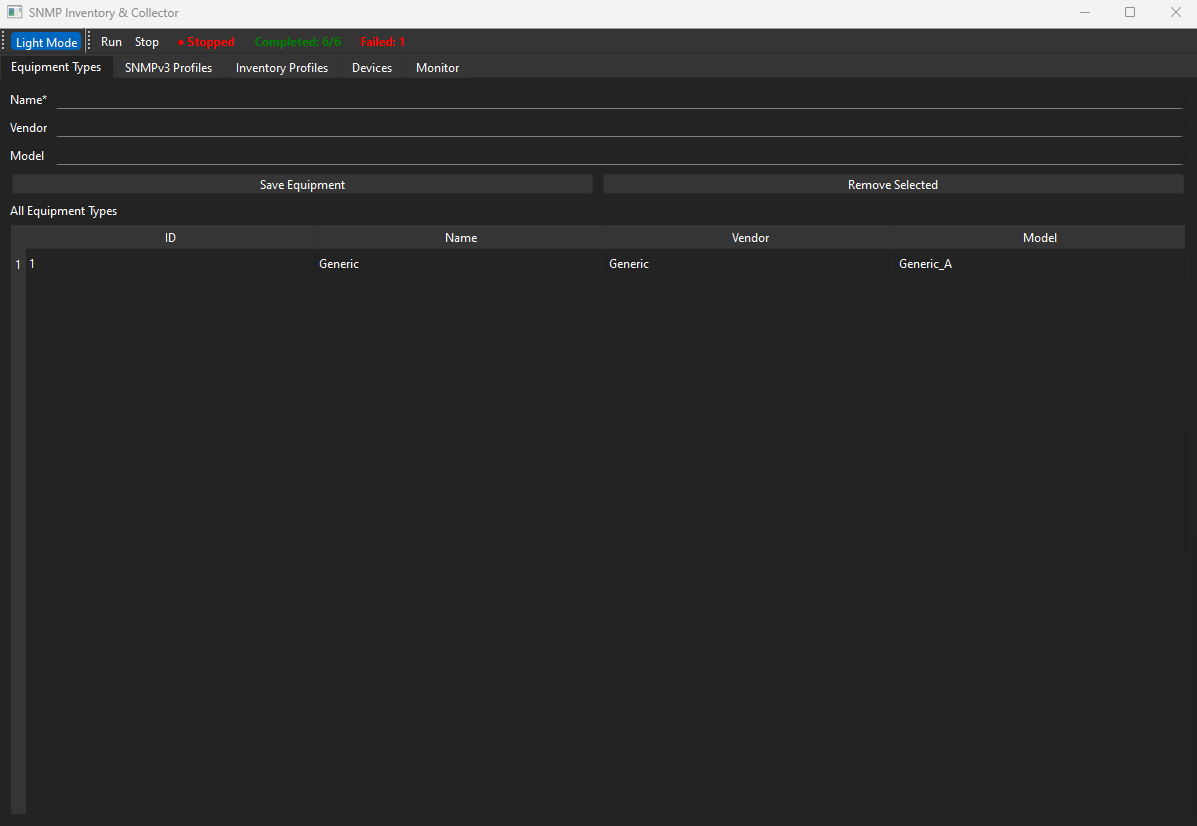
Equipment Types: Add/remove vendor/model–tagged equipment types.
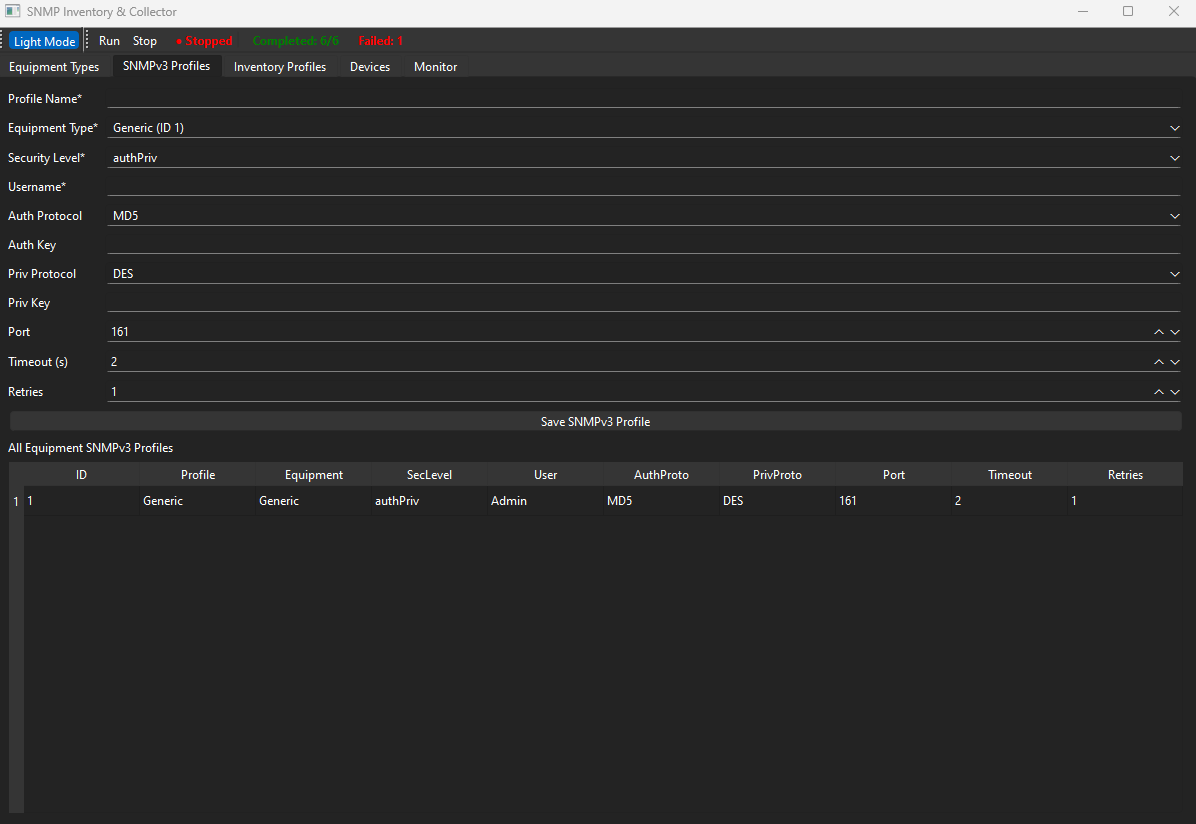
SNMPv3 Profiles (no EngineID): Per-equipment profiles with security level (noAuthNoPriv/authNoPriv/authPriv), user, auth/priv protocols & keys, port/timeout/retries.
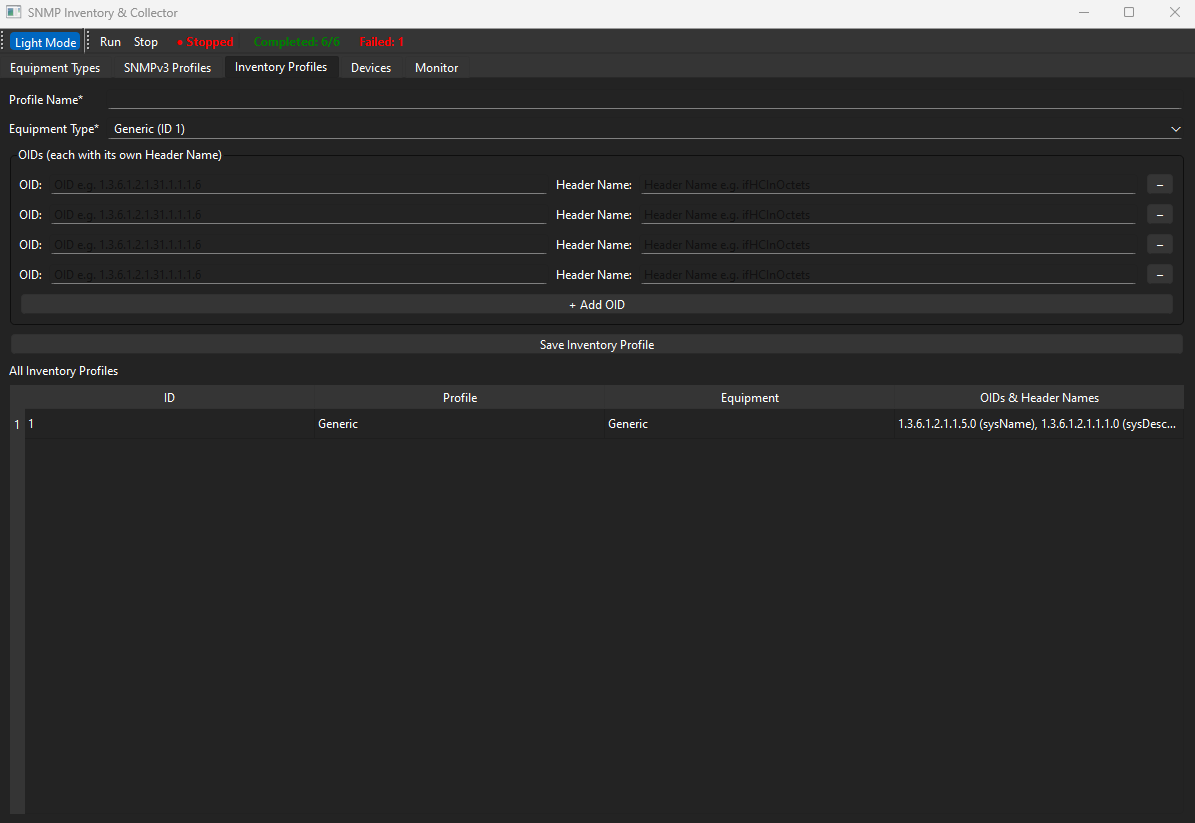
Inventory Profiles (formerly Interface Profiles): Define OID sets per equipment type with friendly Header Names (e.g., “Hostname”, “SysUptime”). No interface/description fields.
Devices
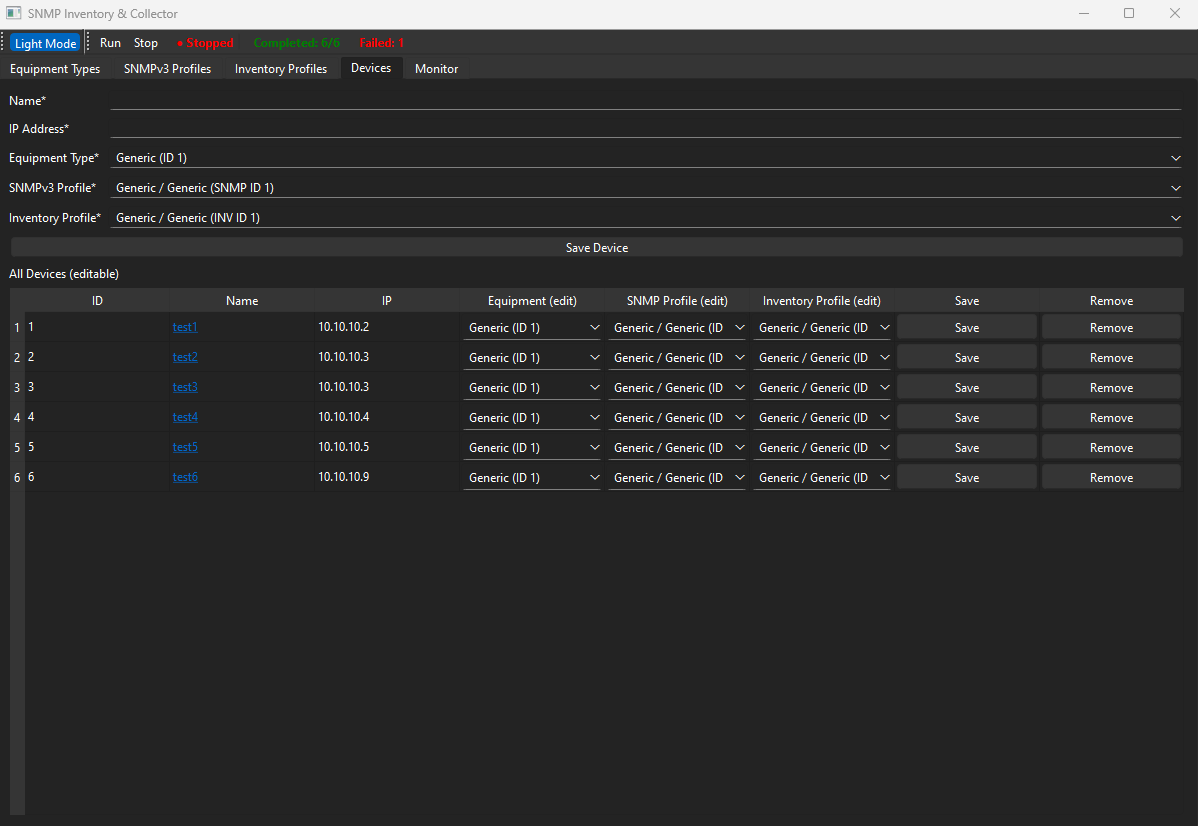
Device Registry: Create devices with name, IP, equipment type, SNMPv3 profile, and inventory profile.
Inline Editing Table: Change a device’s equipment/profile assignments in place; quick remove; click device name to view its collected data.
Data Collection
Single-Cycle Run: Press Run to poll all valid devices once; press Stop to cancel mid-cycle.
pysnmp Integration + Simulator Fallback: Uses pysnmp when available; otherwise deterministic simulated values for testing.
OID Sanitization & Backward Compatibility: Cleans dotted numeric OIDs and supports legacy profile formats.
Live Status & UX
Run Indicator + Inline Status Panel: “Running/Stopped” plus a status panel next to it that updates live with:
Completed device count (shown in the same green as the running indicator)
Failed device count (failed = any device where at least one OID read errored)
Completion Prompt: Modal dialog when the cycle finishes.
Dark/Light Mode Toggle.
Logging & Monitoring
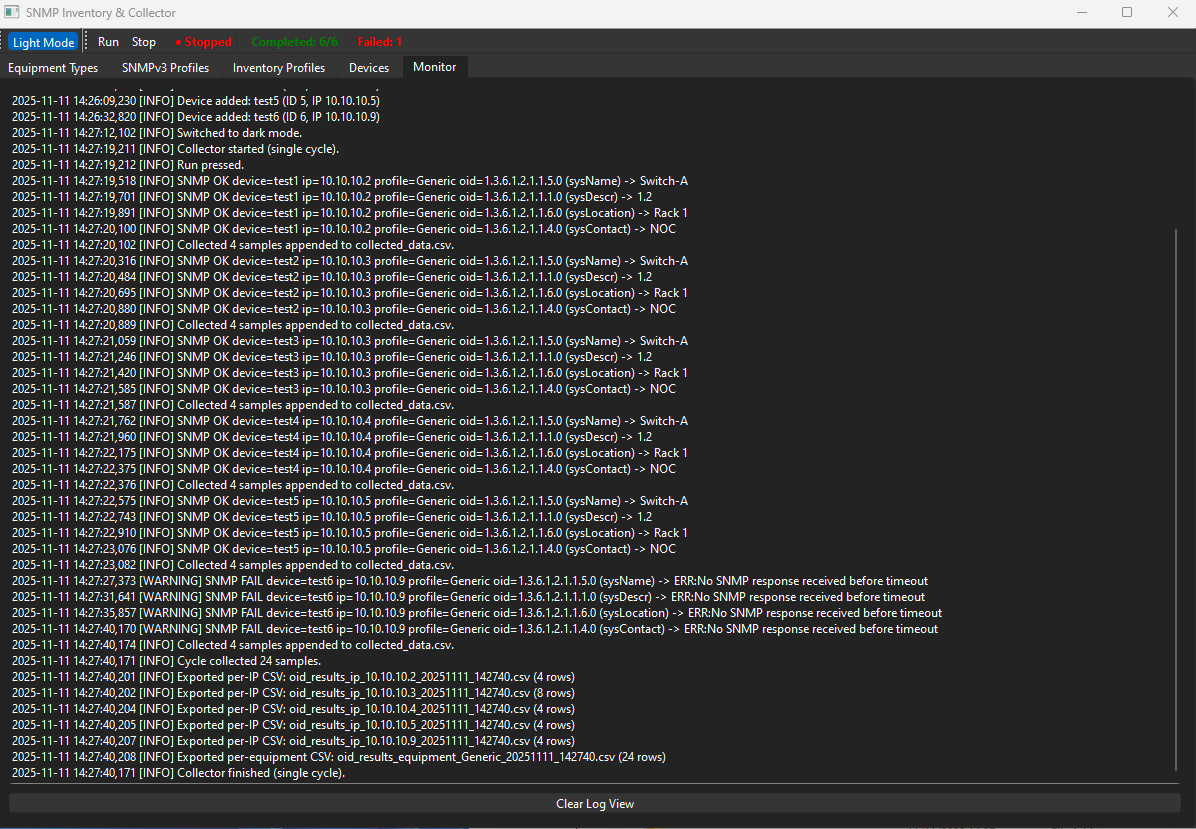
In-App Monitor Tab: Live log stream and historical log from app.log.
Structured Logging: OK/FAIL outcomes per OID with device/profile context.
Storage & Reports
Local CSV Persistence: Equipment, SNMP profiles, inventory profiles, devices, and collected samples are stored as CSVs.
Per-Run Exports (Auto):
Per-IP report and Per-Equipment-Type report written to ./reports/ (e.g., oid_results_ip_10.0.0.1_YYYYMMDD_HHMMSS.csv).
Correct App Paths: Paths resolve to the app’s directory (not temp), including when packaged (e.g., PyInstaller).
Data Viewer
Per-Device Data Window: Shows all samples for a device with columns:
Timestamp (UTC), IP, Profile, OID, Header Name, Value.
Safety & Validation
Form Validation: Required fields enforced (e.g., device name/IP, profile names, at least one OID).
Graceful Errors: User messages for invalid operations; robust exception logging.
SNMP OID Equipment Type Tab - Used for creating equipment types
SNMP OID SNMP Profile Tab - Used to create SNMP profiles for each equipment type
SNMP Inventory OID Profile Tab - Used to create Inventory profiles using a collection of OID’s
SNMP Inventory Device Tab - Used to add new devices to the system
SNMP Inventory Monitor Tab - Used to monitor system and collection updates